|
Comparing Project Planning and Scheduling Tools: Open Workbench and Microsoft Project
IntroductionA detailed project plan that is regularly maintained with actual information is the only objective measure of project status and performance. Therefore, it is extremely important that the project plan accurately reflect expected and actual results across the key constraints of scope, budget and schedule. The primary objective of having a project plan is to allow the project manager to manage “by the numbers.” This is important not only from a budget perspective but is also is the mechanism by which the project manager gains insight into many qualitative aspects of the project and team members. The development and maintenance of even modest plans quickly goes beyond the automated support that generic tools like spreadsheets can provide. The demands of most projects require automated support from specialized project management tools such as Open Workbench™ and Microsoft® Project. Although both are project planning and scheduling tools, there are many differences in how the products operate. A fundamental difference concerns estimates of work for a project plan. Open Workbench is resource-driven and Microsoft Project is task-driven. An Open Workbench plan is built up from estimates for the tasks of work. Estimates are tied to the resource assigned to the tasks. Duration is then driven by the number of hours each resource will work per week to cover the total number of hours required for the tasks. Open Workbench is best suited for groups that estimate total work effort based on the estimates for all the tasks associated with a project, and then create a staffing plan and schedule for those estimates.
A Microsoft Project work plan generate estimates for the resources based on the task durations. Tasks are defined in terms of duration and total work effort. Resources are assigned to the tasks. Hours are calculated for the resources. Microsoft Project is best suited for time-boxed projects where task durations are well understood or determined by dependencies between tasks.
Since most organizations are resource-constrained rather than time-constrained, the resource-based scheduling in Open Workbench typically provides a more realistic plan in less time. Another fundamental difference between the two is the way the scheduling algorithm determines the optimal project plan based on resource availability. Open Workbench is unique in its ability to schedule work in a flexible way based on resource availability. Rather than manually specify how much and when a resource works on a task, Open Workbench allows that time to be calculated automatically by the Auto Schedule feature. When a project is scheduled, work on tasks is calculated to fit within the availability of the people to do that work, even if those people are allocated to multiple projects. As a result, the daily work for a resource is an output of the scheduling process rather than in input, allowing the application to optimize work to deliver a useful plan.
Microsoft Project’s Resource Leveling capability is not as sophisticated. The resource leveling algorithm can only shift tasks on the schedule to find the next contiguous window in which the resource can complete the entire task. Any resource that is assigned excessively causes the leveling to fail since no contiguous time slot is available. As a result, many Microsoft Project users do not depend on the Resource Leveling feature to determine optimal project plans and instead need to manually determine when a resource works on a task.
Differences Between ProductsFeatures Common to Both ProductsManaging Tasks and SchedulesWork Breakdown Structures can have as many levels as needed. Dependencies can be created between tasks within a project. Inter-project dependencies can be created between projects. Master–subproject relationships are supported. Information flows upward and downward. Information is rolled up from the task level to the project level, as well as consolidated across multiple projects. Project baseline settings can be established and reset. Status on every task can be updated manually. Critical path is identified. Key tasks and milestones are identified and displayed. Progress of the project is tracked through several methods:
Managing ResourcesA resource can be a person, a group of people, material or equipment. Resources can have variable “% availability.” Resources assignment can easily be replaced if necessary while maintaining work estimates.
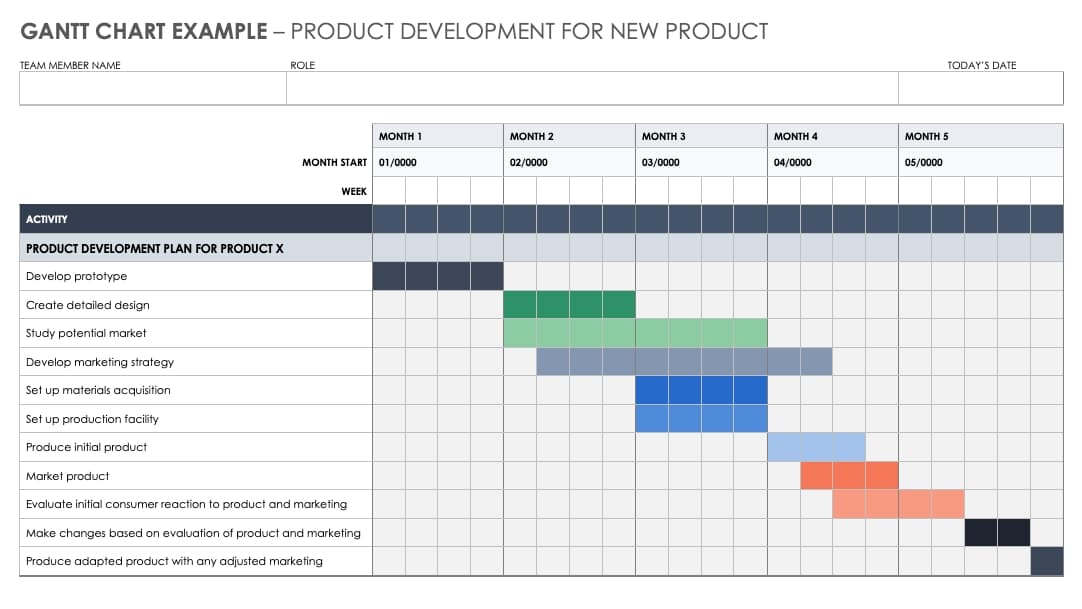
Creating ViewsCustomizable views can be created to reflect individual management styles. Gantt Chart, CPM and spreadsheet-style views are supported.
Reporting and AnalysisAll trademarks, trade names, service marks and logos referenced herein belong to their respective companies. |